
Learning and curiosity are incredibly important to me. That means that I read, watch, study, listen to, or otherwise analyse and synthesise a ton of resources whenever I have a moment.
I never really focused on systematically building my know-how. But then I read Building a Second Brain by Tiago Forte about six months ago, and I became determined to leverage my personal knowledge database.
The process
Before designing my Second Brain, I would keep tons of notes in random places, many handwritten ones, and just generally maintained a hodgepodge instead of unstoppable Jarvis-worthy personal database.
I knew it had to be reproducible, easy-to-search database, and clearly adding value to my work – be it on projects or in my writing.
First of all, I needed to select a tool for this database. I used all sorts of tech for note taking before, and there are many options. After a bit of testing, I selected Notion, because of the cross-platform capabilities and wide variety of uses. I especially wanted a database, not just note tracking.
Secondly, I started prototyping the structure of my future second brain:
- I put together a large amount of columns for metadata, and only inputed the ones that will seem to make sense for each entry. Then I deleted the unused columns one by one, finally setting on those that were working with my knowledge base
- I developed multiple personalised dashboards to see how to best work with my work-in-progress
- Later on, I was iterating on my custom GenAI prompts
The structure
Right now about I have nearly 300 entries, which makes it about 50 entries a month.
For each entry, I track the type (book / podcast / whatever), tag (by topic with anything from legal ops to negotiation), organisational tag (such as to be processes or currently reading), main takeaway, curiosity questions to spark my subsequent analysis, and the notes.
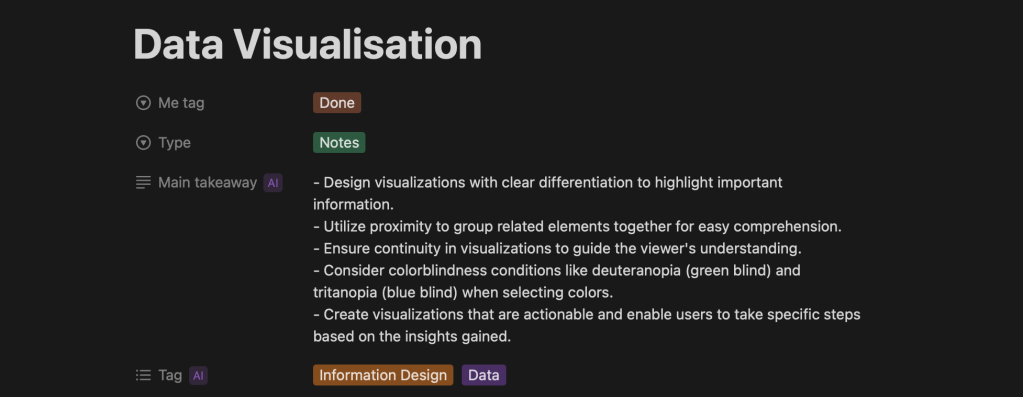
As I note below, the tag, main takeaways, and key questions, are Generative AI powered (see below).
I also connect each entry to the live project that it is useful for, and track the projects I used it for in the past.
The structure is nothing fancy, and it is optimised for quick sorting through the database when I am working on something.
Finally I make sure to log my own writing, observations, and synthesis as well.
Using Generative AI to harness the power of my data
One of the main challenges was that my work-in-progress folder was soon overflowing. I did add the notes, but the housekeeping quickly became difficult to manage.
Turns out that making summaries and tagging everything is a ton of administrative work. That was also one of the reasons why I haven’t imported any of my previous entries.
Then Notion released its Generative AI features. After some iterations, I started using NotionAI to assign tags, make summaries, and derive questions on the topic of the note to think about later.
I always review the generated information when I use the note, and sometimes add or remove tags.
That has truly transformed my work with the database. Not only it was rather easy to catch up with all the tagging and the summaries I haven’t yet done before. But with the generated curiosity questions, it also sparks my creative process.
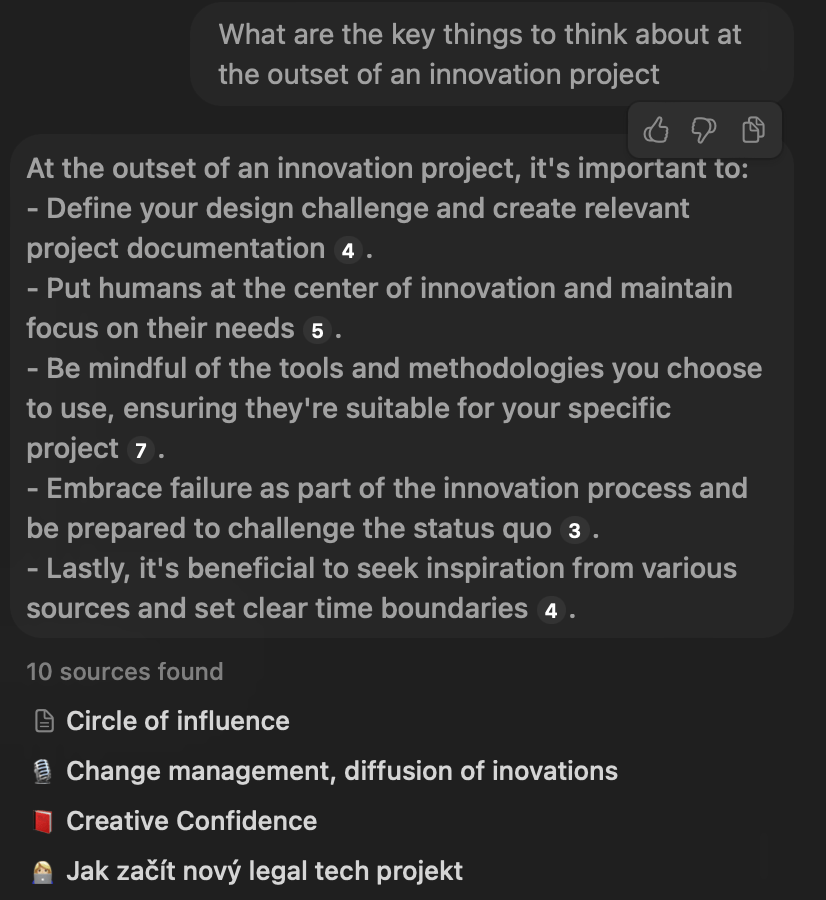
I can also now prompt my entire knowledge database, with quick links to those specific items to easily come back to whatever I have read on the topic.
Final provisions
It was a lot of work and iteration to have everything set up the way that works the best for me.
But then I realised how valuable such an optimised was, while I was preparing an article for Attorney-at-Code on alternative legal professions. I could easily review all my previous work on the topic and sources before I started writing.
Yet, as with any other creative project, this one is also an ongoing work-in-progress.
Baru
 Baru Obračajová
Leave a comment